
AI writing tools
LodgeWP is a WordPress theme designed and developed by our team of web professionals. It comes with ready-to-use layouts for accommodation websites. AI’s role is to help you draft and refine the content you add to those layouts.
Set up your website with AI
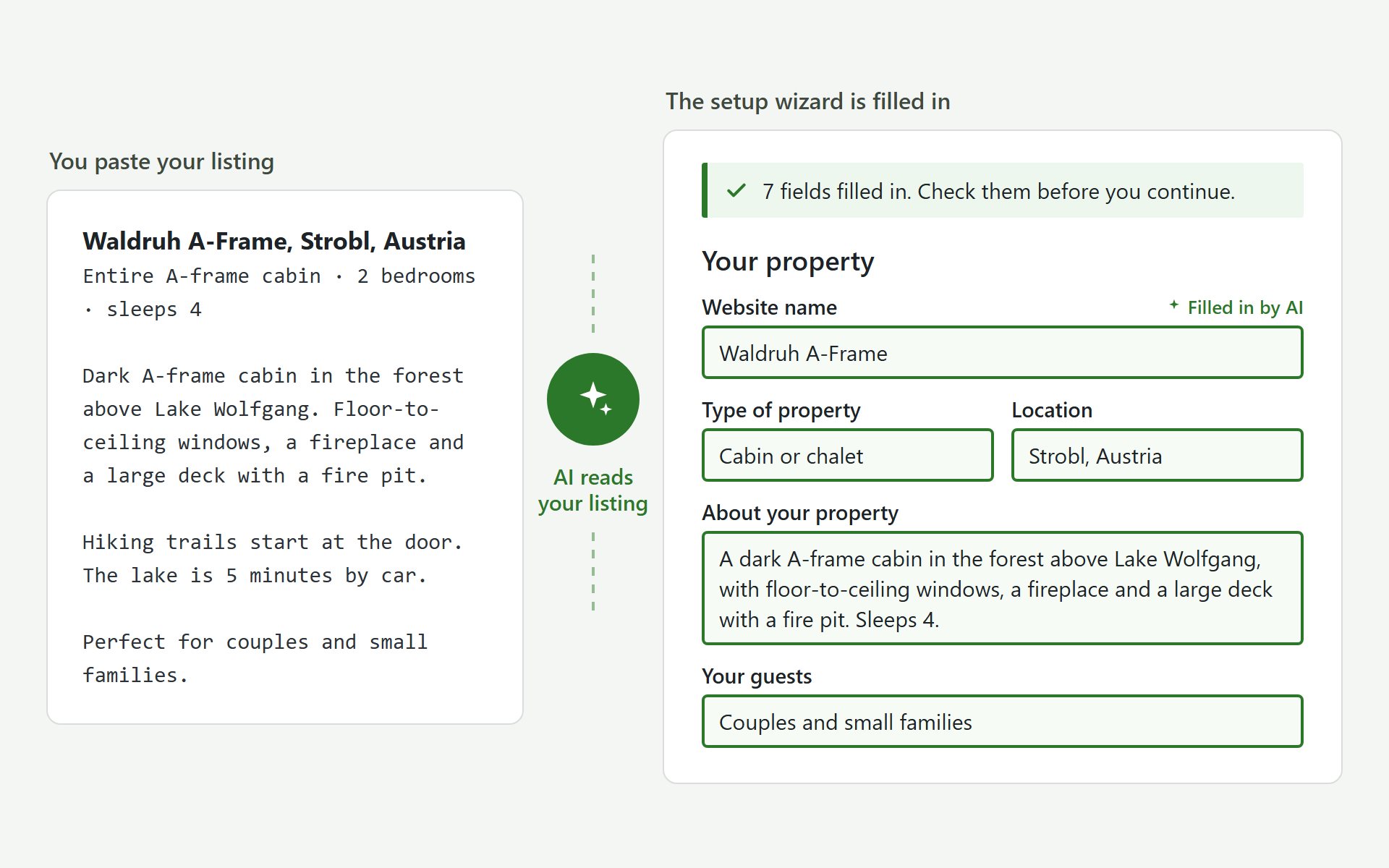
Paste the text from an existing listing or enter your website URL. The setup wizard pulls out property details for you to review and edit.
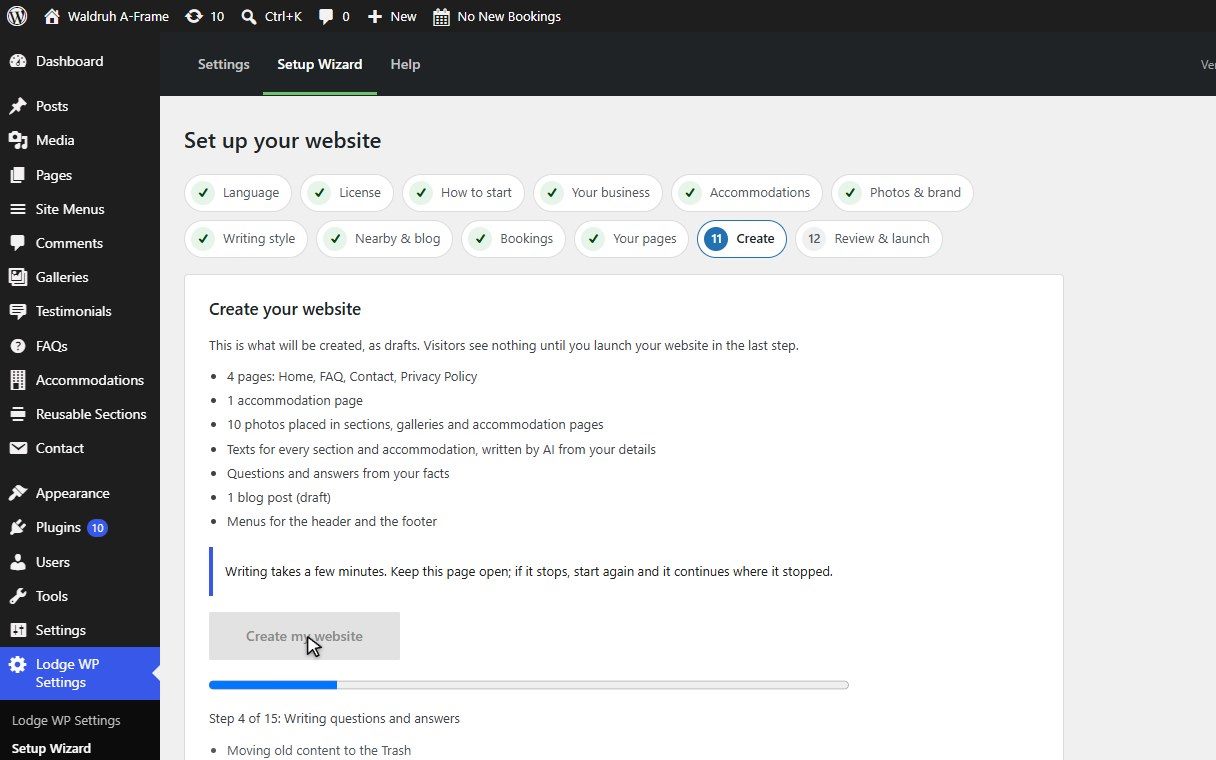
Add your photos, then let LodgeWP put together your main pages, accommodation pages, FAQs and navigation. You can also choose to create a first blog post.
Write, refine and translate your copy
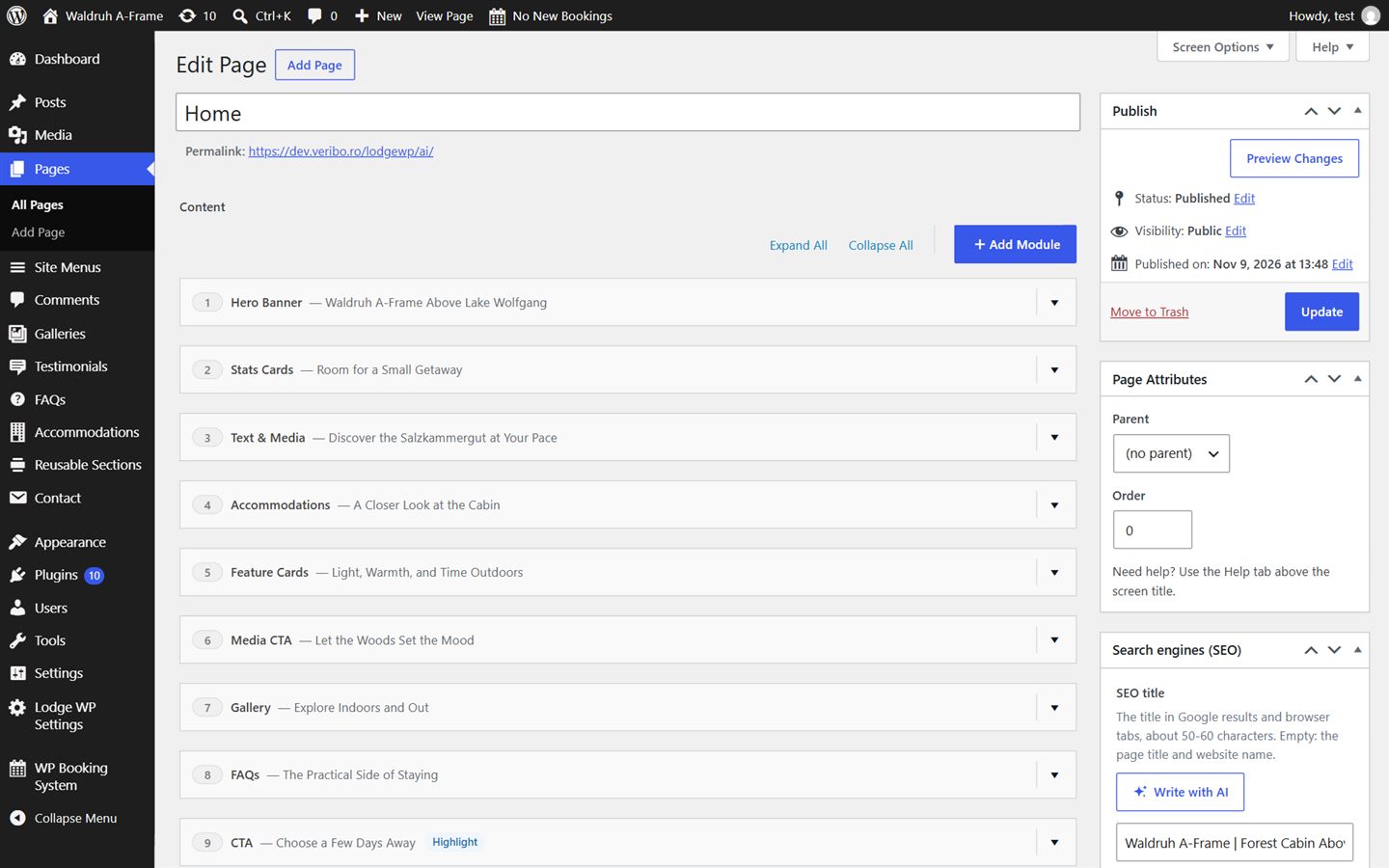
Use Write with AI in the page editor to draft a property description or improve an existing section. Ask for a specific change, like "make it shorter" or "mention the lake".
Compare the suggestion with your current text and apply it when you’re happy with it. You can also translate individual sections into another language.
Get help with photos and SEO
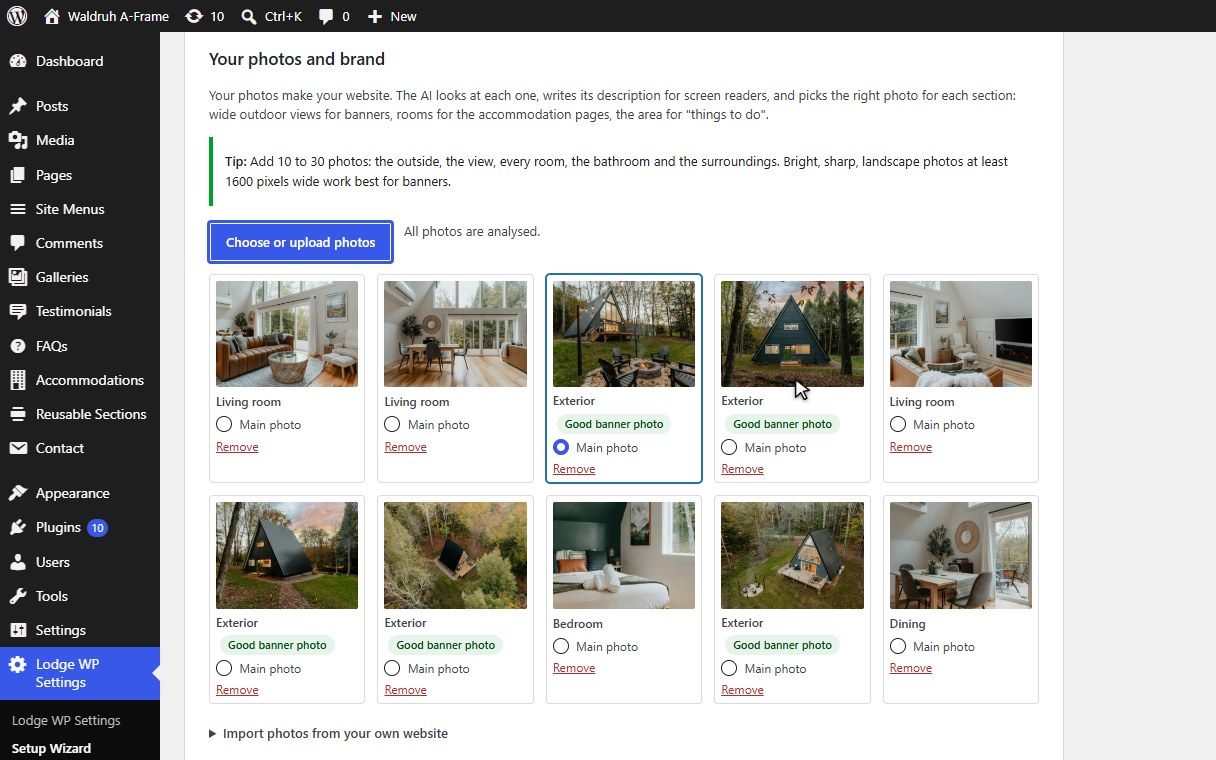
During setup, LodgeWP helps select banner images and match your photos to page sections. It can also suggest descriptive alt text for people using screen readers.
In the page editor, use Write with AI to draft SEO titles and meta descriptions that you can review and edit.
Choose how your website sounds
Pick a language and a writing style that suits your property, from warm and welcoming to elegant and luxurious.
Add instructions such as "Keep descriptions short" or "Leave out prices". LodgeWP uses these preferences when drafting your pages and blog posts.
From property notes to a guest-ready description
A few details about your location, rooms and amenities are enough for LodgeWP to draft an accommodation description you can make your own.
Your property notes
Dark green A-frame cabin in the forest, Lärchenau, Salzkammergut, Austria.
2 bedrooms, 1 bathroom, sleeps 4.
Floor-to-ceiling windows, open living room, fireplace.
Good for couples and small families.
LodgeWP’s first draft
Tucked into the forest in Lärchenau, this dark green A-frame cabin is a cozy base for couples and small families visiting Austria’s Salzkammergut. The cabin sleeps four across two bedrooms and has one bathroom. In the open living room, floor-to-ceiling windows look out onto the trees, and there’s a fireplace to gather around in the evening.
Review the draft, make it your own, and publish when you’re ready.
Common questions about AI
No. You can start with blank pages or import a LodgeWP demo and add your own content. Choose Create with AI in the setup wizard if you want help drafting your pages.
No. You can enter your property details directly in the setup wizard. If you already have a listing or website, you can use it to fill in some of those details.
Yes. Use Write with AI in the editor whenever you want to draft or update supported sections. For example, you can revise an accommodation description when you add a new amenity.
No. The setup wizard creates draft pages for you to review. When you use Write with AI in the editor, you choose whether to apply each suggestion before saving or publishing your changes.
The photo tools use the property photos you upload. LodgeWP can suggest where to place them on your site and draft alt text for them.
Yes. Choose the language for your initial drafts in the setup wizard. In the editor, you can translate individual sections into another language and review the result before applying it.
You manage rates and availability in WP Booking System. LodgeWP’s AI tools help write the content guests read about your property.