
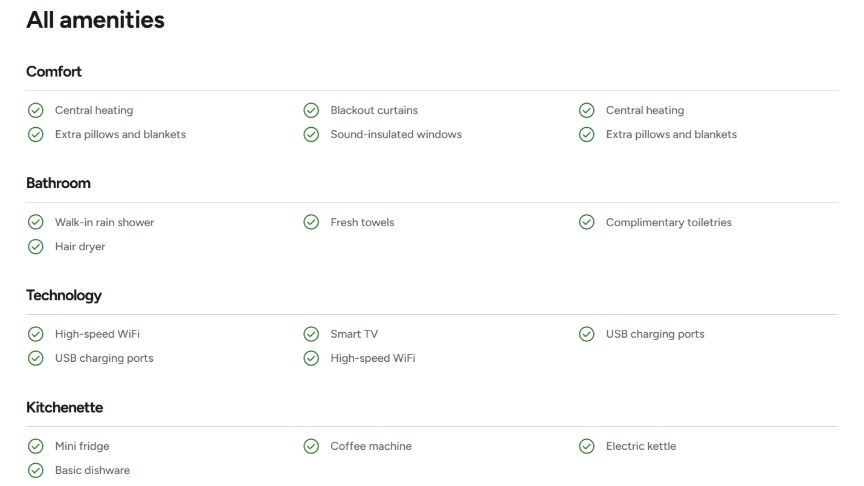
Amenities grouped by category, each with a check mark. Use it on an amenities page, or to list what all your accommodations share.
Content
The Amenities List is made of groups. For each group:
- Group Title: e.g. Kitchen, Bathroom, Outdoors.
- Amenity: one row per amenity, e.g. “Coffee machine”, “Dishwasher”.
Button
An optional button under the list. Choose a page or paste a URL in Link: the link text becomes the button label. Style sets the look: Primary (filled, in your accent color) or Secondary (outlined). With the heading Alignment set to Left, the button is shown next to the title on desktop.
Headings & Options
The Headings & Options tab adds an optional heading above the module and sets its background. These options are the same on most modules, see Headings & Options.
Each accommodation also has its own amenities list, in the Features & Amenities tab. See Booking Pages.
