
Text next to an image, several images or a video. Use it to introduce your property, a room or an experience.
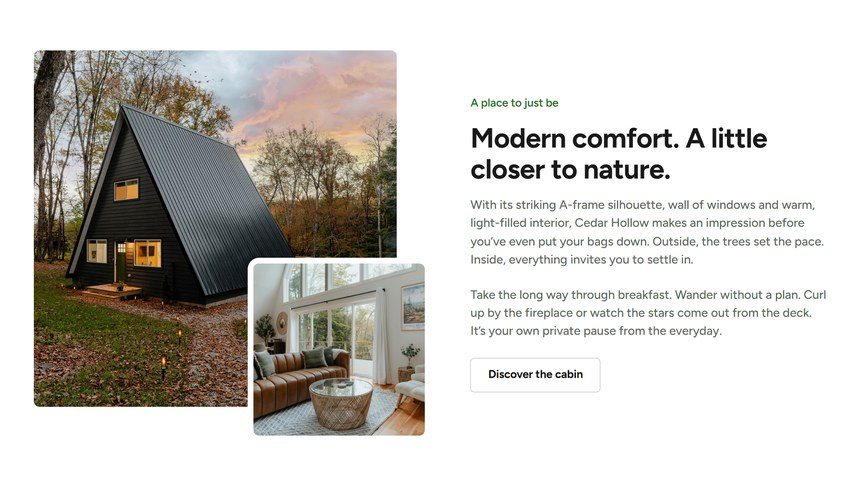
Content
The Text editor holds the text, with up to two Buttons below it (a link and a Primary or Secondary style each).
Media
Type: Image or Video.
For images, choose the Layout:
- Single image: one image. Recommended at least 1320 px wide.
- Two overlapped images: a large image with a smaller one overlapping it. Second Image Position sets where it overlaps: Top, Center or Bottom.
- Two images side-by-side: two equal images. Recommended 864 × 1092 px each.
- Three image grid: one tall image and two small ones.
Each image field shows the recommended size for the layout you picked.
For a video, choose the Type (File for an MP4 or WebM from the Media Library, or YouTube / Vimeo for a link) and add a Video Cover image, shown before the video plays. Then choose how it plays:
- Play in a Lightbox On: the cover is shown with a play button, and the video opens in a full-screen lightbox. A cover image is required for this.
- Play in a Lightbox Off: the video plays in place. Turn Autoplay On to start it automatically (muted, on a loop).
Headings & Options
- Subtitle and Title: an optional heading above the module.
- Layout: Text First or Media First. On tablets and phones they stack in the same order.
- Vertical Alignment: align the text to the Top, Center or Bottom of the media (desktop).
- Background Style: Transparent or Highlight.
Alternate Text First and Media First on consecutive Text & Media modules for a zig-zag layout.
