
Photo galleries: a full mosaic with filters for a gallery page, or a short preview with a button for other pages. The photos come from the galleries you add under WP Admin → Galleries (see Generic Pages).
Content
Module Type:
- Full List: all images of the selected galleries, for a gallery page.
- Show Filters: a button for each gallery, so visitors can filter the images.
- Layout Type: Small Images or Large Images, two different mosaic patterns. On phones both show a simple two-column grid.
- Select Galleries: the galleries to show. Leave it empty to show all of them.
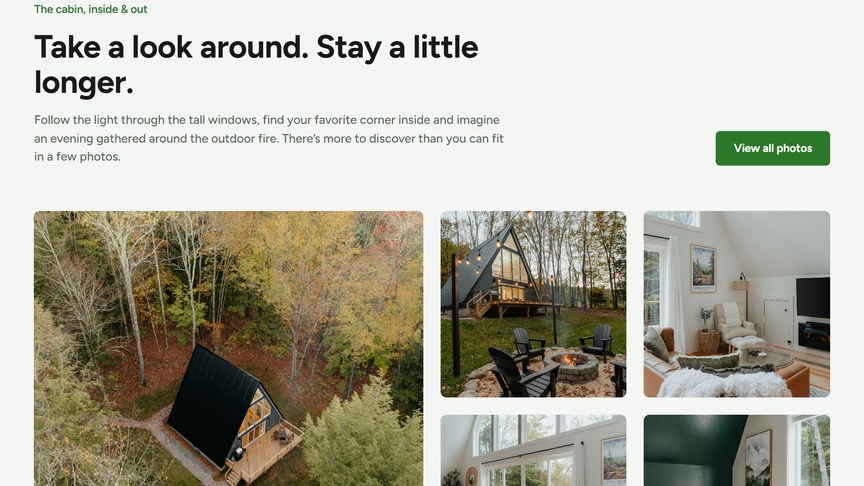
- Preview: the first 5 images of one gallery, with a button, for other pages.
- Select Gallery: the gallery to preview.
- Button: e.g. “View all photos”, linking to your gallery page.
Open Images in a Lightbox: opens images full-screen when clicked, with arrows to browse the gallery and the image captions.
Headings & Options
The Headings & Options tab adds an optional heading above the module and sets its background. These options are the same on most modules, see Headings & Options.
